
EMS Screen
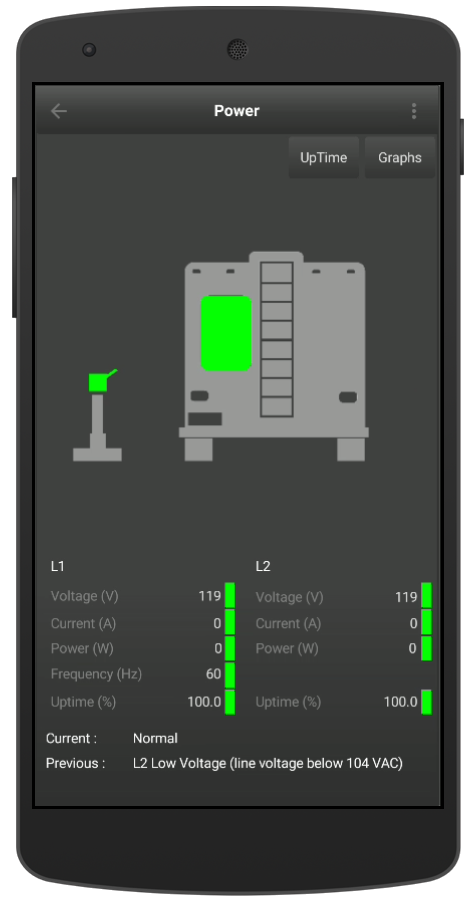
EMS Status Screen -50 AMP
The Level Up Pro module displays the current state of the Progressive Industries EMS module. The screen displays the status of the pedestal as well as the power to the RV. The screen also displays:
| Parameter | Range | Unit |
|---|---|---|
| L1 Voltage | 103 to 132 | VAC |
| L2 Voltage | 103 to 132 | VAC |
| Current (30 AMP) | 0 to 30 | AMPS |
| Current (50 AMP) 1 | 0 to 100 | AMPS |
| Power (30 AMP) | 0 to 3600 | Watts |
| Power (50 AMP) | 0 to 12,000 | Watts |
| Uptime | 0 to 100 | % |
| Frequency | 51 to 69 | Hz |
Footnotes
1
A 50 AMP circuit supports a combined total of 100 Amps - L1=50 AMPS and L2=50 AMPS
\
Pedestal Icon Colors
Description |
State |
|---|---|
Power Detected and in Normal Range |

|
No Power Detected but outside of Normal Range |

|
RV Icon Colors
Description |
State |
|---|---|
No Power in RV |

|
Power In RV |
|
The current and previous EMS states are shown at the bottom of the screen. For a list of the error codes and descriptions click here.
30 AMP Service
If your trailer is equipped with a 30 Amp service your power connector will have a three prong connector (hot, neutral and ground). In a 30 Amp service the hot is also referred to L1.
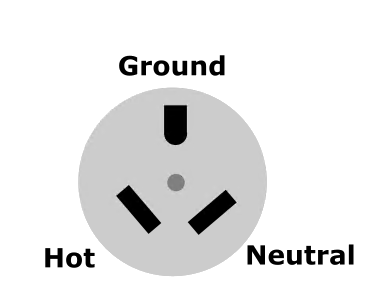
30 AMP Plug
50 Amp Service
If your trailer is equipped with a 50 Amp service your power connector will have four prongs (Hot L1, Hot L2, ground and neutral). The EMS status screen will show power, current and uptime for both L1 and L2 circuits simultaneously.
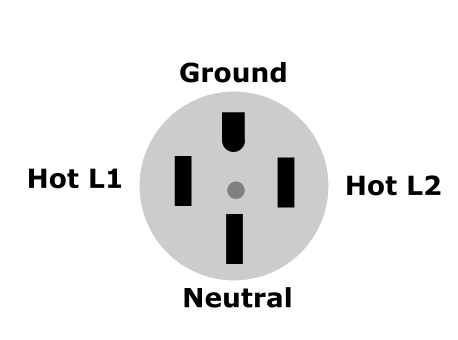
50 AMP Plug
EMS Graphs
The EMS graphs allows you to see the voltage, current and frequency from your EMS over time. SIQ only stores the changes so if the voltage, current and frequency are the same as the previous measurements the results are discarded. This saves memory and storage space with out the loss of any data. You can view the L1 and/or L2 circuit and then choose the parameter you wish to monitor (volts, amps, freq).
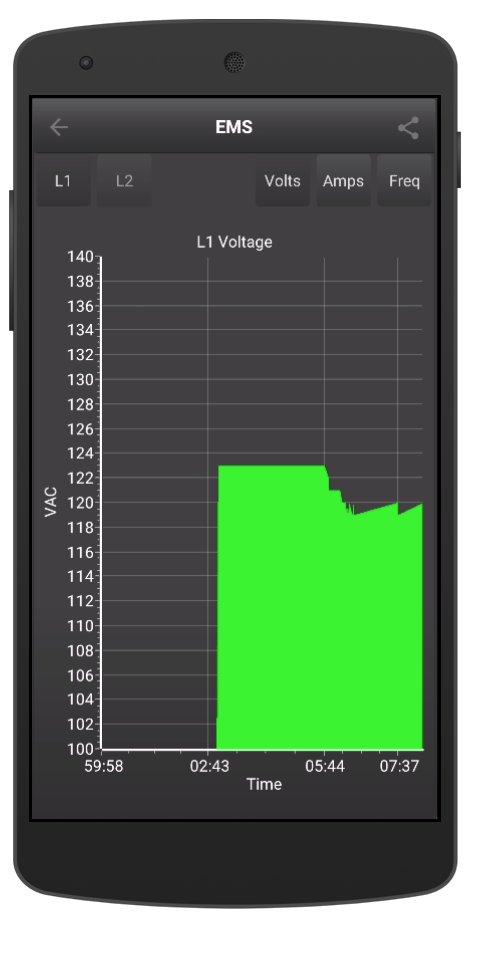
EMS - Voltage vs Time |
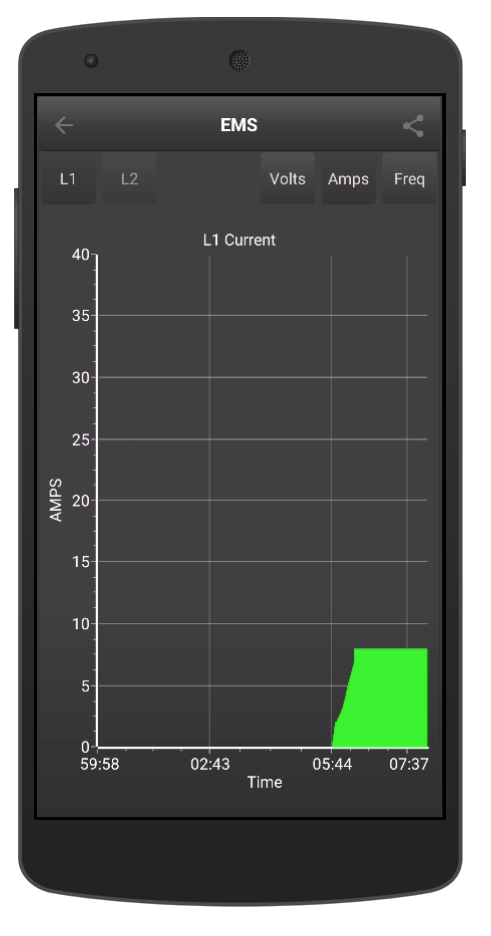
EMS - Current vs Time |
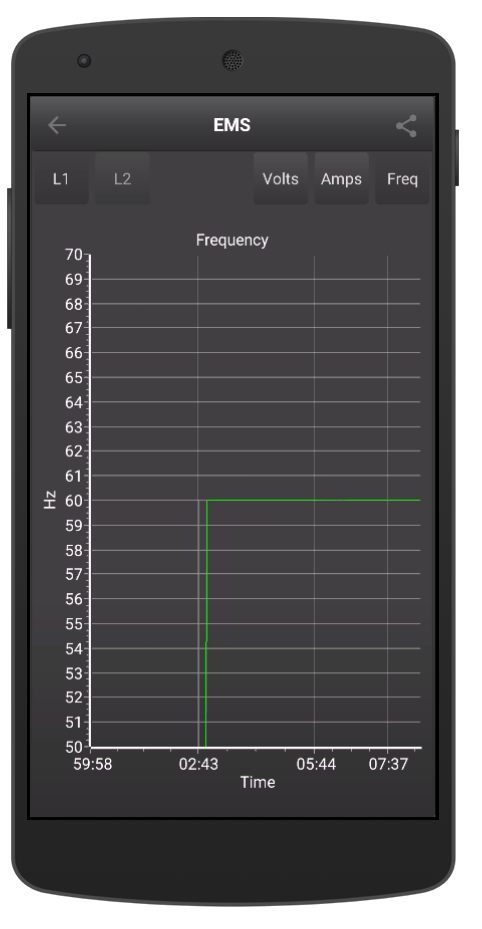
EMS - Frequency vs Time |
Note
There is only one frequency graph regardless if you are displaying L1 and/or L2 as the frequency is common to L1 and L2.
EMS Uptime Graphs
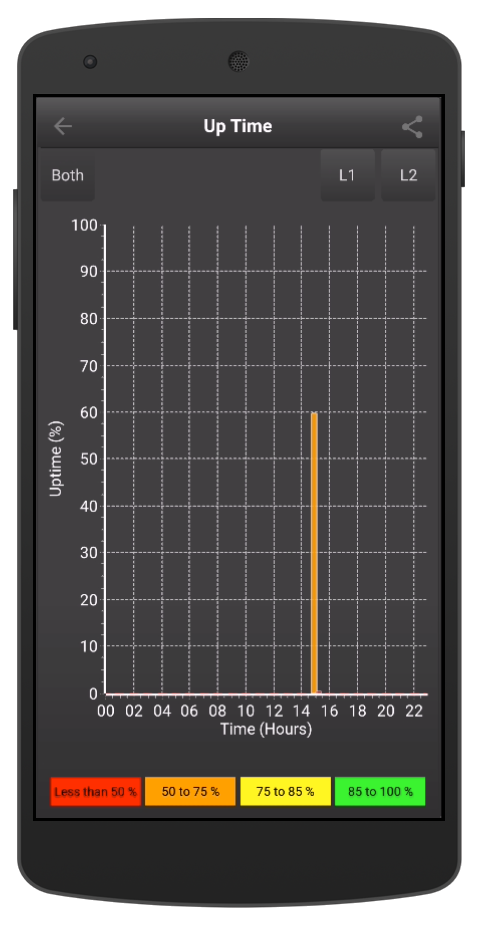
EMS - Uptime
The EMS Up Time graph displays the total time the EMS detect power from the pedestal. The uptime is only considered if the EMS status is Normal (E 0), if the voltage, frequency is out of the valid range as per the Progressive Industries Manual (Page 7) or there is a wiring fault oneView will consider that as down time. oneView stores the last 24 hours of Uptime and then removes the oldest hour and replaces it with current data.
\
EMS Error Codes
The EMS Error codes are defined by the Progressive Industries EMS module. The table below is taken directly from the Progressive Industries manual page 7 - Error Code Chart.
| Error Code | Description |
|---|---|
| E0 | Normal Operating Condition |
| E1 | Reverse Polarity (hot and neutral wires are reversed). |
| E2 | Open Ground (no ground wire connection) |
| E3 | Line 1 (L1) High Voltage (line voltage above 132 V) |
| E4 | Line 1 (L1) Low Voltage (line voltage below 104 V) |
| E5 2 | Line 2 (L2) High Voltage (line voltage above 132 V) |
| E6 2 | Line 2 (L2) Low Voltage (line voltage below 104 V) |
| E7 | Line Frequency High (line frequency above 69 Hz) |
| E8 | Line Frequency Low (line frequency below 51 Hz) |
| E9 3 | Data Link Down |
| E10 | Replace Surge Protection Module (call Progressive Industries Tech Support) |
oneView Pro has added two additional status codes based on the state of the EMS.
| Error Code | Description |
|---|---|
| E89 | Power to the pedestal, but no power to the RV. |
| E99 | No Power to the pedestal |
Footnotes
2(1,2)
Error Code 5 and 6 only apply to EMS-HW50C models
3
If the Progressive Industries display module is displaying E9 - Data Link Down. We would recommend removing shore power, and reconnecting the display directly into the Data port of the EMS. If the problem persists we would recommend changing out the data cable with the one that was supplied with the oneView Pro to see if this corrects the issue. If replacing cable fixes the issue, we would recommend you replace the defective cable. If the E9 error persists contact Progressive Industries support.